Custom stamps, made from your design
Custom Clay Stamp Set
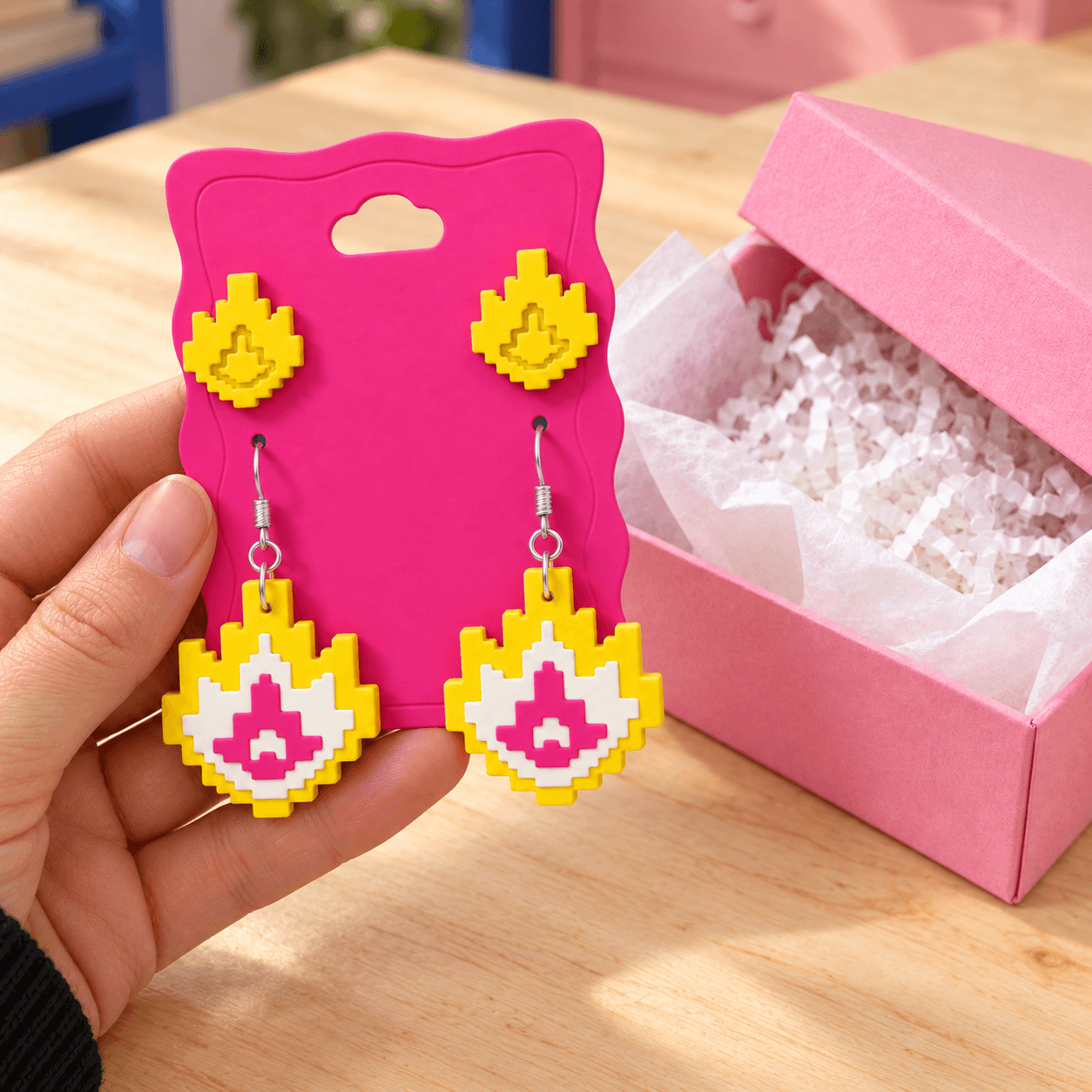
Put your logo or design on a clay earring card. We make the stamp and matching badge cutter as STL files for you to 3D print. The Earring Display Card and Cutter Kit is included.
Made-to-order digital STL files for your 3D printer or a 3D printing service. No physical item ships. Safety, licence, and refund details
See more tool views (3)
What you can make
Your shop mark beside your earrings
Use the same stamp across the clay cards for a collection, with a card colour that suits each pair. Your shop logo can stay on the card when the earrings go home with a customer. For gifts or favours, choose one monogram or message for the occasion.Branded earring cards
Press your logo into clay backing cards for your market display, customer orders or wholesale pairs. Make the cards in the same clay colours as your collection, or use a plain colour behind detailed earrings.
Wedding favour cards
Use one couple’s monogram or the year across a batch of favour cards. The same design goes on every card in this order.
Christmas and seasonal cards
Choose a short message or seasonal motif for a run of gift cards. Change the clay colour between cards while keeping the same stamped design.
Gift and hang tags
A Small or Medium clay card carries your design, and its hanger opening takes ribbon or twine.
Clay seals
A badge pressed with your design, glued on a gift box or bag.
A mark on the back
Your maker's mark signs the back of pendants, ornaments and dishes about 45 mm and larger. A maker's mark is a small stamp you press into the back of your pieces, like an artist's signature.
For band merch, keychains, pendants or wall art, the Custom Clay Cutter and Stamp Kit adds the cutters.
Your download
What is included
The items below are included in the download. Styled examples and props shown in the images are not included unless the list says otherwise.
Card stamps for three sizes
Large cards carry your full design. The Medium full-design stamp needs a 0.2 mm nozzle, resin or a fine-detail 3D printing service; a 0.4 mm order also includes a Medium monogram stamp. Small cards carry initials or a monogram made from your own design.

Badge cutters
Cut a badge of about 15, 25 or 54 mm from a contrasting clay, lay it on the card and press your design into it.
Maker's mark stamp
A small stamp for the back of pendants, ornaments and dishes about 45 mm and larger. It presses your full design when made for a 0.2 mm nozzle or resin. For a 0.4 mm nozzle or standard 3D printing service, it uses your initials joined on one shape.

Earring Display Card and Cutter Kit
Our full card kit: a through-hole cutter, a drill-mark cutter and a reusable 3D-printed card for each of the three sizes, with its 3D printing guide.
Making note and licence
An illustrated making note, and a maker licence to sell or gift the clay pieces you make.
Made from your design
How it works
Send your artwork through the request form and tell us how you will 3D print the tools. We reply with a written scope, a delivery date and how to pay before any work starts. For the full design on a Medium card, you need a 0.2 mm nozzle, resin or a fine-detail 3D printing service. Orders for a 0.4 mm nozzle also include a Medium stamp with your initials.Send the artwork for your order
Your logo, initials, a short message or a bold line drawing. For words, type the exact text and we set it in a clean, open-licence font. If your design has no letters, tell us the initials for the Small card and maker's mark. Attach a PDF or a sharp PNG to the request form. Export an SVG as a PDF first.
We check your design
We tell you if any detail needs simplifying to press clearly. If your design can't work, you get a full refund.
Approve your preview
Check the labelled preview for every tool and size, especially the smallest letters. One round of changes is included. Approve the design before we prepare your final files.
Download your files
Your STL files, the card kit files and an illustrated making note, ready to download.
Your design
What designs work
Bold shapes and short words stay easier to read when made small. Send your design before buying if you are unsure; we can discuss what needs simplifying before making the tools.What works
A shop logo, initials or a monogram, a name or short message, a wedding or event emblem, or a bold line drawing. Solid shapes and bold lines press best. For the request form, SVG or PDF is ideal; a sharp, high-contrast PNG works too.
Keep words short
One or two short lines of about 8 to 12 letters read best on Medium and Large cards. Small cards and the smallest badge carry your initials or a monogram.
What can't become a stamp
Photos, gradients and shading. A bold line drawing of the same idea can.
Your rights to the design
Send only a design you made, had made for you, or have written permission to use. We can't make tools from another business's logo, a band, team or school you don't represent, a character, a famous person, or another maker's design.
It stays yours
We never sell, publish or show files made from your design without your written permission. One design per order.
Opens our request form with this set already picked. Tell us about your design and how you 3D print, and we'll reply with next steps.
Maker workflow
How to use the set
Press straight in
Cut your clay card, then press the card stamp into the raw clay inside the border. It has no blade, and its flat plate stops the press, so your design goes in without cutting through.
Or add a badge
Cut a badge from about 1.5 mm of contrasting clay, lay it on the card and press your design into it.
Make the pressed design stand out
For contrast, brush compatible water-based acrylic paint into the pressed design after baking and cooling. Wipe the paint off the surface, leaving it in the letters or lines, then let it dry fully as the paint label directs.
Sign the back
Press the maker's mark into the back of pendants, ornaments and jewellery dishes about 45 mm and larger.
View exact dimensions and fit details
- Card sizes
- Small 45 x 60 mm, Medium 55 x 75 mm, Large 70 x 95 mm
- Badge cutters
- About 15, 25 and 54 mm along the longest side
- Tools from your design
- 8 design tool STLs
- Card kit
- 9 files and their 3D printing guide, included unchanged
- Changes
- One round of changes on your preview
- Files
- STL only; no G-code or 3D printer profiles
Before you start
What you need to print and use the tool
Use what you already own and buy only for your chosen method. Links marked "Affiliate link" on this page may earn us a commission at no extra cost to you. Search links open results to compare; check sizes and materials before checkout.
What you need
- A 3D printer (0.4 mm nozzle with PLA, 0.2 mm nozzle, or resin) or a 3D printing serviceExplore Snapmaker printers Affiliate linkUse code claybakestudio for 5% off an eligible machine at the Snapmaker Global, Australian or US store, until the code reaches its use limit. The link opens the Snapmaker store for your country. EU stores are not part of this offer yet. We may earn a commission when you buy through this referral link. Referral terms and countries
- Polymer clay, a roller and a flat work surface
- Compatible water-based acrylic paint (optional)
Not included
- Physical stamps, cutters or cards: nothing ships
- Clay, earrings or findings
- G-code or 3D printer profiles
- A second design in the same order
Keep the making setup practical
Making tips
Press by eye inside the card border; your design is sized to sit clear of the holes and the hanger.
Lift every stamp and cutter off the clay before it goes in the oven.
3D-printed tools are not toys and not food safe.
Printing the files
The included guide covers setup. Use a filament printer or a 3D printing service.Downloads and support
Need help with a file?
Email us with the set name, filename and a description of the problem.Build out the making workflow